How to create a simple password generator in Power Automate
Learn how to create a simple password generator in Power Automate to quickly generate test data like passwords, emails, or phone numbers.
Introduction Have you tried to limit the number of rows you want to return from related tables in Dataverse using Power Automate? Like using the top parameter to get the number of rows you want in FetchXML or directly in the Dataverse action, this works fine. Let’s say, you want to get the three latest …
Limit rows listed from related tables in Power Automate Read More »
Faced an error regarding special characters while creating a new document location in Dynamics 365 CE with Power Automate Flow. To get some context; the reason behind the flow is to extract attachments related to notes and email from Dataverse and store them in SharePoint to save space in Dataverse. The error occurred when I …
Replace special characters in a string with Power Automate Read More »
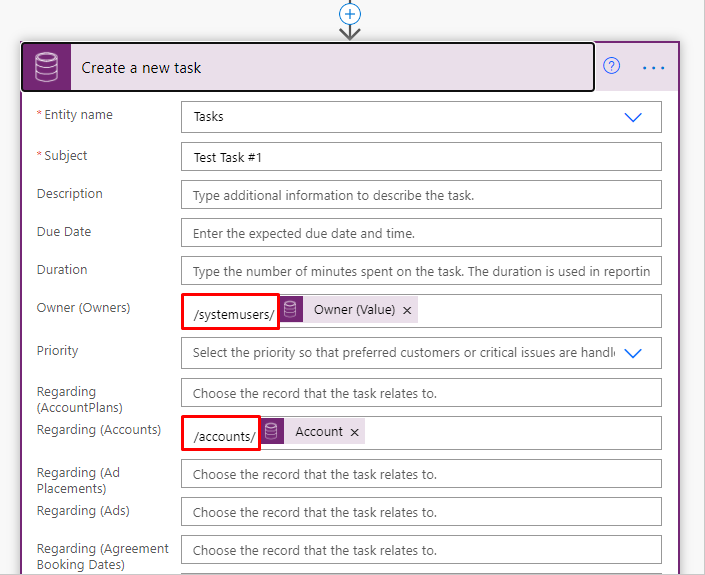
Specify the plural name of the entity lookup name and the record GUID to solve the error as shown below.